A smart lock is exactly what it sounds like: a deadbolt or latch you can lock and unlock without a physical key, using a phone app, a keypad code, or an automated rule. On its own, that’s convenient. But when a smart lock connects to your home alarm system — the hub or panel that monitors your doors, motion sensors, and sirens — it becomes something more useful: a single access point that knows when your home is armed, who came and went, and whether the door was locked when the alarm triggered. That combination is what most buyers are actually chasing, and it’s also where most of the confusion lives. Not every smart lock integrates with every alarm panel, the protocols involved (Z-Wave, Zigbee, Wi-Fi, proprietary) matter a lot for reliability, and the remote-access features that look most appealing come with real tradeoffs worth understanding before you commit. This guide walks through all of it.
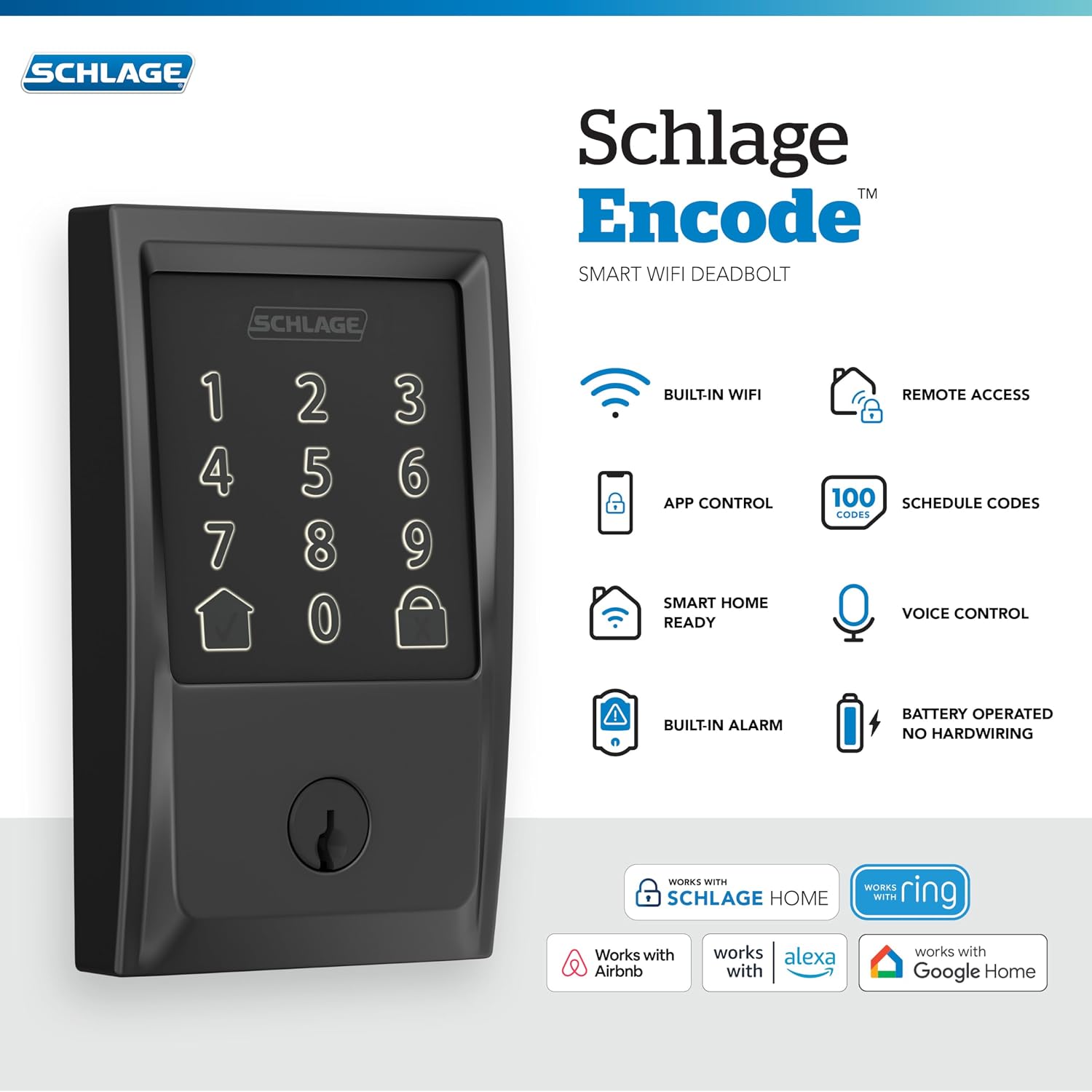
| EDITOR'S PICKLevel Lock Pro - World’s Smalle… | Mid-tier[Schlage Encode Smart Wi-Fi Dead…](https://www.amazon.com/dp/B07HXMLCBT?tag=greenflower20-20) | Budget pick[eufy Security Smart Lock C220](https://www.amazon.com/dp/B0C7C69FPS?tag=greenflower20-20) | |
|---|---|---|---|
| Connectivity | Matter-Over-Thread | Wi-Fi | Built-in Wi-Fi |
| Keyless Entry | Apple Home Key | Touchscreen Keypad | Fingerprint |
| Smart Platform | Apple, Alexa, Google | Alexa, Google | — |
| Battery Life | — | — | 8 months |
| Water Rating | — | — | IP53 |
| Price | $349.00 | $229.00 | $109.99 |
| See on Amazon → | See on Amazon → | See on Amazon → |
How Smart Lock Integration Actually Works (and Where It Breaks)
The word “integration” gets stretched pretty thin in smart-home marketing. For our purposes, there are three distinct levels, and knowing which level you’re buying into changes the value of the lock dramatically.
Level 1 — Parallel operation. The lock has its own app; the alarm panel has its own app. They share a physical door but not data. You get remote locking from the lock’s app and alarm control from the panel’s app. This is better than a dumb deadbolt, but it’s not integration.
Level 2 — Shared platform. Both the lock and the panel report to the same ecosystem — usually an alarm.com account, a Z-Wave controller embedded in the panel, or a smart-home hub like SmartThings. The platform can trigger automations: arm the panel when the lock locks, send a notification when a specific user code is used, or unlock automatically when the alarm is disarmed. This is genuine integration and covers 80% of what most buyers need.
Level 3 — Native panel integration. The lock is listed on the panel manufacturer’s compatibility matrix, communicates over the panel’s native radio, and may appear as a zone or device within the panel’s own interface — not just a third-party app bridge. Qolsys IQ Panel 4 handles this well with its built-in Z-Wave Plus radio. DSC PowerSeries Neo achieves it via the PowerG ecosystem or third-party Z-Wave modules. This level matters most in commercial-grade residential installs where a single pane of glass (one interface for everything) is the goal.
The Protocol Stack
The dominant wireless protocols for lock-to-panel communication, ranked by relevance to alarm system work:
-
Z-Wave is the workhorse here. It operates at 908.42 MHz in North America — a frequency band that doesn’t compete with Wi-Fi — and uses a mesh network where each Z-Wave device can relay signals from others. The Z-Wave Alliance’s interoperability documentation confirms that certified devices must pass conformance testing, which is why Z-Wave locks from Schlage, Yale, and Kwikset have a strong cross-panel compatibility record. Most prosumer panels (Qolsys IQ4, 2GIG Edge, Honeywell Lyric) have Z-Wave built in. The Vista-20P notably does not — you’d need a separate Z-Wave controller bridged via alarm.com or Total Connect 2.0.
-
Zigbee is faster and cheaper to implement but less common in lock hardware. Samsung SmartThings and Amazon Echo (as a hub) support Zigbee, but alarm panel native Zigbee support is rarer. File this as a smart-home integration path, not a panel-native path.
-
Wi-Fi locks connect directly to your router, so they’re easy to set up and don’t require a separate hub. The downside: they depend on your router’s uptime and draw more battery. For alarm integration, Wi-Fi locks typically connect through the lock brand’s cloud and then bridge to alarm.com or a IFTTT-style connector — adding latency and a single point of failure.
-
Bluetooth / Thread (Matter-compatible locks like certain Yale and Schlage models) represent the emerging standard. As of mid-2026, Matter support in security panels is improving but still inconsistent. Alarm Grid’s compatibility documentation notes that Matter-over-Thread locks are not yet natively supported by most panel Z-Wave controllers — they’re bridged through a smart-home hub layer.
Auto-Lock Rules That Actually Hold Up
Auto-lock is the feature most buyers list as a primary reason to upgrade. In practice, the reliability of auto-lock rules depends entirely on where the logic lives.
Cloud-dependent rules (the lock brand’s app triggers a lock after X minutes, or when the alarm.com account sees “Away Armed”) are convenient to configure but fragile during outages. If the lock’s cloud service has a hiccup — and per SafeWise’s smart lock coverage, all the major Wi-Fi lock platforms have documented downtime events — the rule simply doesn’t fire.
Controller-local rules (the Z-Wave controller in your panel runs the automation logic on-device) survive internet outages because the decision happens in hardware. This is a meaningful reliability argument for anyone taking alarm integrity seriously. Qolsys’s IQ Panel 4, with its internal Z-Wave controller and local rule engine, handles this correctly. So does an alarm.com-connected panel, provided you configure the rule within the alarm.com platform’s local-execution mode rather than through a third-party IFTTT bridge.
The practical auto-lock rules worth building, and the caveats:
- Lock on Away Arm — near-universal across alarm.com, Total Connect 2.0, and Qolsys. Works reliably when the lock is Z-Wave paired to the panel. Verify that the lock confirms the lock state back to the panel; some older Kwikset Z-Wave models report a “lock command sent” rather than “lock confirmed.”
- Unlock on Disarm — useful for households with kids arriving home. Privacy and security tradeoff: if an unauthorized person gets your disarm code, they also get the front door. Think that through before enabling it.
- Auto-lock after N minutes — most useful as a fallback, not a primary rule. Set it as a 5-10 minute safety net, not the main mechanism.
- User code logging + notification — Level 2 and 3 integration only. When your housekeeper’s code is used at 2pm, the panel’s log records it. Useful for property managers and multi-unit operators. Security Info Watch’s coverage of residential access control trends flags this as a meaningful driver of prosumer lock adoption.
The Remote-Access Tradeoff: What You’re Actually Giving Up
Here’s the honest accounting that most smart lock reviews skip.
By the Numbers
| Attack surface introduced | Mitigation available |
|---|---|
| Cloud account credential theft | Strong password + MFA on lock app account |
| API vulnerabilities in lock firmware | OTA firmware updates (check vendor track record) |
| Wi-Fi deauth / jamming unlocking window | Z-Wave locks + local controller avoid this vector |
| Physical bypass (wrench attack on exposed thumb-turn) | Motor-driven deadbolt with no exterior thumb-turn |
Remote access gives you real capability: check lock status from anywhere, grant temporary codes to contractors, verify the house is locked before a long trip. These are genuine quality-of-life improvements. But they expand your attack surface — the number of ways a determined adversary could get in — in proportion to how many cloud layers stand between your phone and the lock.
Wirecutter’s smart lock coverage consistently notes that no major residential smart lock has passed rigorous third-party penetration testing as a published result. The security community’s stance, reflected in PCMag’s smart lock roundups, is that the physical security of a high-quality deadbolt cylinder (Schlage B60N or equivalent Grade 2/Grade 1 ANSI) is usually the stronger layer, and smart functionality should be evaluated primarily on convenience and integration value rather than as a security upgrade.
That framing is useful for calibrating customer conversations. When a homeowner asks “is a smart lock more secure?”, the accurate answer is: it depends what threat you’re defending against. For the common threat (opportunistic break-in, bumping, picking), a Grade 1 deadbolt with a quality strike plate is the win. For household management, access auditing, and integration with the alarm’s automation rules, the smart layer adds real value. These are different jobs.
Matching Lock to Panel: Decision Rules by System
This is where we get specific, because the pairing matters.
If your panel is Qolsys IQ Panel 4 or 2GIG Edge: Z-Wave Plus locks pair natively. Yale Assure Lock 2 (Z-Wave variant), Schlage Encode Plus (note: Encode Plus is Matter/Wi-Fi; the Z-Wave variant is the BE469), and Kwikset SmartCode 888 Z-Wave are all confirmed compatible per Alarm Grid’s compatibility documentation. Stick to Z-Wave — the native radio runs local automation without cloud dependency.
If your panel is Honeywell Vista-20P (hardwired, classic): The Vista has no built-in wireless controller. Your integration path is alarm.com with an alarm.com communicator (CDMA/LTE) and the alarm.com Z-Wave hub add-on, or Total Connect 2.0 paired with a Tuxedo Touch keypad that has Z-Wave built in. This is manageable but adds hardware cost and a cloud dependency that the panel-native Z-Wave setups avoid.
If your panel is DSC PowerSeries Neo: Integration depends heavily on what communicator you’re running. With an alarm.com communicator, you get alarm.com’s Z-Wave support. With a DSC TL-series communicator and DLS 5 programming, you’ll need a bridged approach. SDM Magazine’s coverage of Neo deployments notes that integrators often add a SmartThings hub in parallel for lock automation when native Z-Wave isn’t configured.
If your panel is Ring Alarm Pro or SimpliSafe: Ring Alarm Pro integrates with a small set of Z-Wave locks through the Ring app. Yale and Kwikset Z-Wave locks are on Ring’s supported list as of 2026. SimpliSafe’s ecosystem is more closed — it does not support third-party lock integration natively. Your lock would operate independently of the SimpliSafe panel. For buyers on SimpliSafe who want lock integration, the practical path is an Amazon Echo hub bridging the two through Alexa routines — which is a Level 1/Level 1.5 integration at best.
If you’re running Home Assistant as an integration layer: This is the highest-flexibility path and the most technically demanding. Z-Wave locks pair to a Z-Wave USB stick (Zooz ZST39 or Aeotec Z-Stick), and Home Assistant’s automation engine handles the rules locally. The alarm panel connects via its API (alarm.com has a third-party HACS integration; Qolsys has a native HA integration via the IQ Panel’s LAN API). For Home Assistant builders, this stack delivers genuine Level 3 local-first integration across diverse hardware combinations.
If X, Then Y: The Decision Framework
If your panel has a built-in Z-Wave radio (Qolsys IQ4, 2GIG Edge, most alarm.com-connected panels from 2022 onward) → buy a Z-Wave Plus lock from Yale, Schlage, or Kwikset’s Z-Wave lineup, pair it natively, and build your automation rules inside the panel’s platform. This is the cleanest path.
If your panel is a classic hardwired system without native Z-Wave → budget for the alarm.com Z-Wave add-on module or a parallel SmartThings hub, and accept that your lock integration will live in the cloud layer. It works reliably for most households; just know the dependency.
If you’re on SimpliSafe or a closed-ecosystem panel → treat the lock as a standalone smart device, not an integrated one, and evaluate it purely on keypad convenience and app usability. Don’t pay a premium for integration features you won’t get.
If the installation is a rental property or multi-unit situation where audit logging and temporary codes matter more than panel integration → a Wi-Fi lock (August WiFi Smart Lock, Schlage Encode) with its own app may be the right call, even without deep panel integration, because the user code management tools in those apps are purpose-built for that use case.
If you’re building a Home Assistant stack and have Z-Wave hardware in hand → this is the most powerful and most future-proof path, but go in knowing it requires maintenance attention that a SimpliSafe or Ring setup does not.
The honest bottom line: smart lock integration is mature enough to be reliable when you match protocol to panel. The failure mode isn’t the technology — it’s mismatched expectations about what “works with” means on a product box. Get the pairing right, configure your automation rules in the right layer, and you’ll have a system that actually does what the marketing promised.